
CLI commands
Binary: shipseal. Every command accepts the shared flags below.
| Flag | Meaning |
|---|---|
--cwd <path> | Run against another directory |
--json | Machine-readable output |
--quiet | Errors only |
--verbose | Extra detail |
shipseal init
Detects the brand, writes .shipseal/brand.json and .shipseal/config.json, offers to update .gitignore, and renders one sample card using the brand it just found.
Flags: --yes accepts the detections without prompting, --force overwrites existing files.
shipseal release
Generates the release pack.
| Flag | Default | Meaning |
|---|---|---|
--tag <tag> | latest tag | Which release to build |
--from <tag> | previous tag | Compare base |
--formats <list> | from config | For example og,x |
--templates <list> | from config | For example release-hero |
--themes <dark|light|both> | brand theme | Which themes to render |
--no-copy | off | Force deterministic copy, no LLM |
--out <dir> | from config | Output directory |
--strict | off | Exit 2 on any fit warning |
--dry-run | off | Print facts, render nothing |
--package <path> | repo root | Pick a workspace package |
shipseal story
Renders a release as an ordered set of pages instead of a single card: a cover, one page per change, a code page when the notes contain a snippet, a before and after page when you supply two screenshots, and a closing page. The same pages are written as PNGs, as a PDF carousel and as a ZIP that also contains the brand file, the config and the manifest.
Pages come from the release notes, the same facts the release pack uses. The closing page links your release notes rather than printing an install command, because the command depends on your package manager and the release may be breaking. Set release.story.upgrade inconfig.json to supply the real instructions, and they are rendered verbatim.
| Flag | Default | Meaning |
|---|---|---|
--tag <tag> | latest tag | Which release to build |
--format <format> | portrait | One size, or all for every supported size |
--style <style> | from brand | minimal, editorial or terminal |
--theme <dark|light> | brand theme | Which theme to render |
--headline <text> | from notes | Override the cover headline |
--out <dir> | from config | Output directory |
--strict | off | Exit 2 on any fit warning |
--package <path> | repo root | Pick a workspace package |
Screenshots are files you already have. Shipseal never captures or generates one: setrelease.story.before and release.story.after to PNG or JPEG paths, or leave both unset and the comparison page is skipped.
shipseal preview
Starts a local server on 127.0.0.1 so you can try styles, themes, accents, formats and headlines against your real release before committing to them. Nothing leaves the machine and nothing is posted. The URL carries a one-time token; requests without it are refused.
Save writes only your choices, to .shipseal/brand.json and.shipseal/config.json. Preview-only choices stay behind: picking a portrait size to look at a carousel does not change the formats your release pack renders.
Flags: --tag <tag>, --port <port> (default 4175), --package <path>.
shipseal milestone
Reads the current metric and renders a card for the highest threshold you have crossed. If nothing has been crossed it exits 0 with a message and generates nothing.
Flags: --metric <stars|downloads|contributors>, --threshold <n>.
shipseal bench
Renders benchmark cards from a JSON file. Percentages are computed by code, never written by a model.
{
  "title": "Rendering got faster",
  "metrics": [
    { "label": "Render time", "before": 420, "after": 87, "unit": "ms", "better": "lower" }
  ],
  "note": "vitest bench, M4, 2026-09-10"
}
That input renders this card. The percentage is computed from the two numbers, not written:
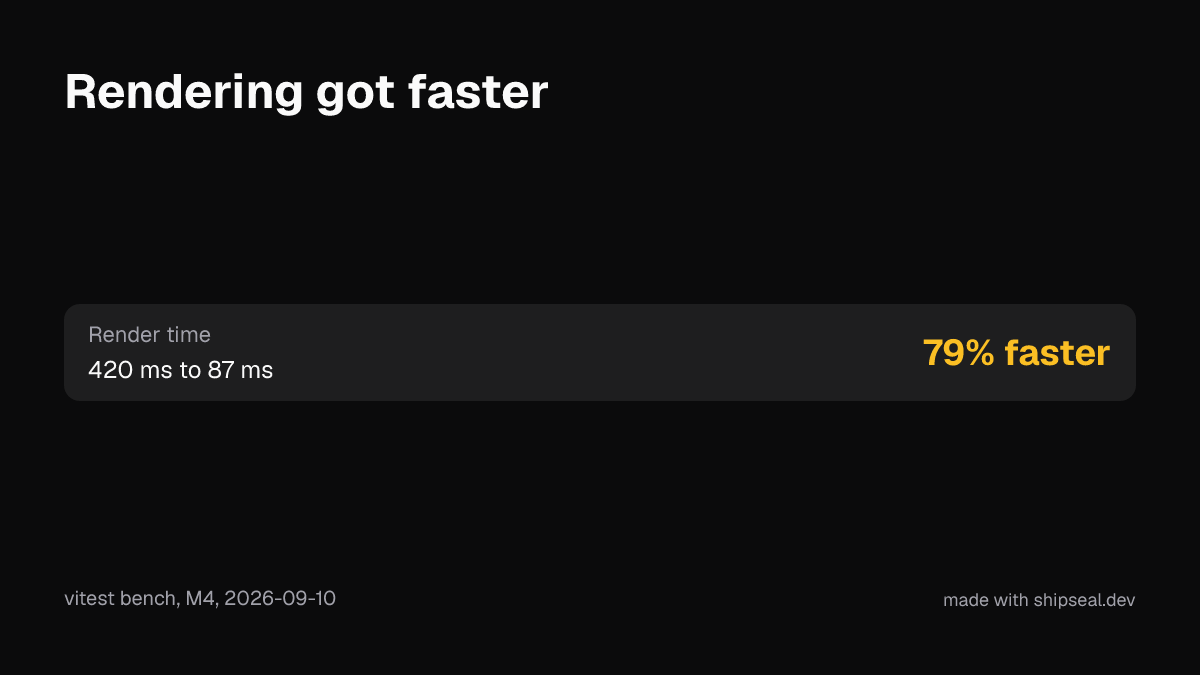
Flags: --file <path>. A regression is rendered honestly as a regression.
shipseal doctor
Checks Node, git, shallow clones, the brand file, fonts, the logo, GITHUB_TOKEN and the renderer.
Exit codes
| Code | Meaning |
|---|---|
0 | Success. Warnings allowed unless --strict |
1 | Error: invalid config, missing required fact, render failure |
2 | Fit warnings present and --strict was set |