
Templates
| Template | Event | Content | Formats |
|---|---|---|---|
release-hero | release | Logo, name, version, headline, tagline, install command | og, github-social, x, linkedin |
release-highlights | release | What changed, up to four one-line highlights | x, linkedin |
code-card | release | Headline plus a syntax highlighted snippet, sized to the snippet | x, linkedin |
milestone | milestone | One large number, the metric, a thank-you line | og, x, linkedin |
bench | bench | Up to three metrics as before to after with percent change | x, linkedin |
story-page | release | One page of a release story: cover, change, code, comparison or upgrade | og, github-social, x, linkedin, square, portrait, producthunt |
Every template renders in dark and light. The brand's theme decides the default.
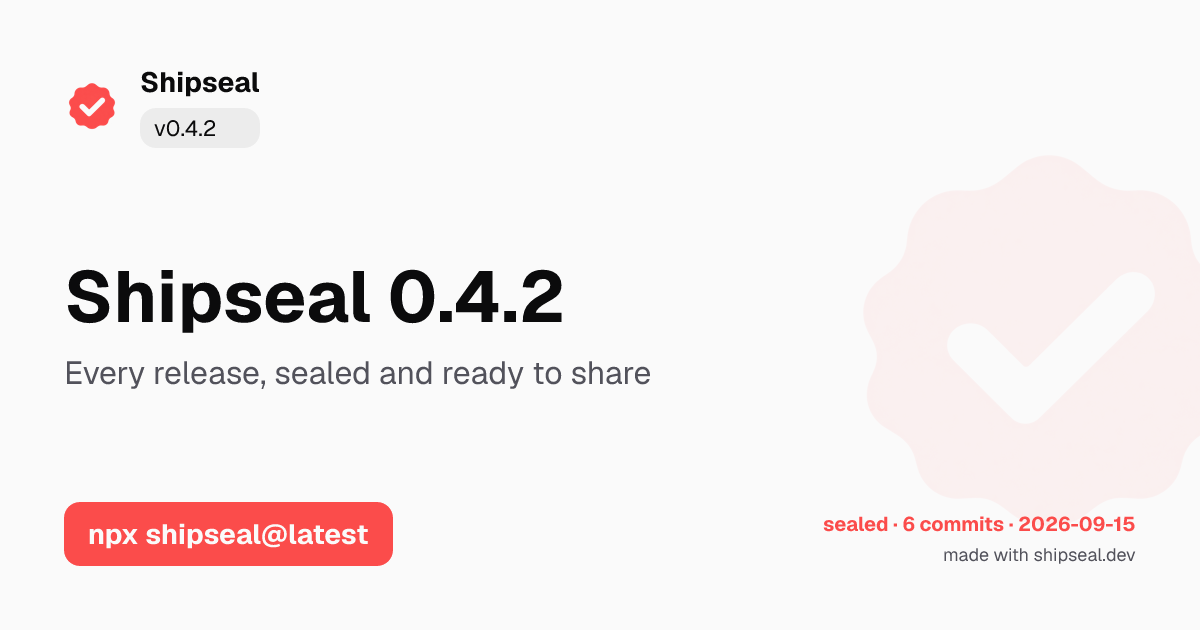
release-hero in light, generated by Shipseal for its own release. The stamp in the corner carries only facts: drop one and the segment disappears rather than being guessed.Formats
| Id | Size | Use |
|---|---|---|
og | 1200x630 | Open Graph link previews |
github-social | 1280x640 | GitHub repository preview |
x | 1200x675 | X posts |
linkedin | 1200x627 | LinkedIn posts |
square | 1080x1080 | Instagram and generic square (story packs) |
portrait | 1080x1350 | LinkedIn carousel page (story packs) |
producthunt | 1270x760 | Product Hunt gallery (story packs) |
readme-banner | 1280x400 | README header (no template renders it yet) |
Templates are designed per format rather than scaled. A 1200x630 landscape card and a 1080x1350 portrait card need different arrangements, so each one gets its own.
Text fitting
Text never silently overflows. For each slot Shipseal measures the real fonts at decreasing sizes until the line count fits, using Takumi's own measurement so the result matches what gets rendered.
- Try font sizes from the maximum down to the minimum.
- Take the first size where the text fits the allowed number of lines.
- If nothing fits, truncate at a word boundary and record a
fit-warningin the manifest.
Treat a fit warning as a copy problem. It means the text was shrunk or cut. Shorten the sentence rather than widening the template.
--strict turns any fit warning into exit code 2, which is worth using in CI.Safe zones
Critical text stays at least 64px from the edge on landscape formats, because platforms crop previews and overlay their own interface near the edges.